Reminderly.ai vs Tasks.Bot for Make Integration AI Automation
You have a Make scenario halfway built and a task tool that will not talk to it. Most automation stacks break at the handoff between a triggered workflow and the person who has to actually do the work. Picking the wrong task manager here costs you hours of rebuilding Zaps, scenarios, and webhooks later.
This comparison walks through what Tasks.Bot does on WhatsApp, how it connects to Make, and where it differs from Reminderly.ai. You will see the feature set, the pricing tiers, and the beta and encryption details, so you can decide which tool fits your automation stack.
What Is Tasks.Bot? WhatsApp-Native Task Management for AI Automation
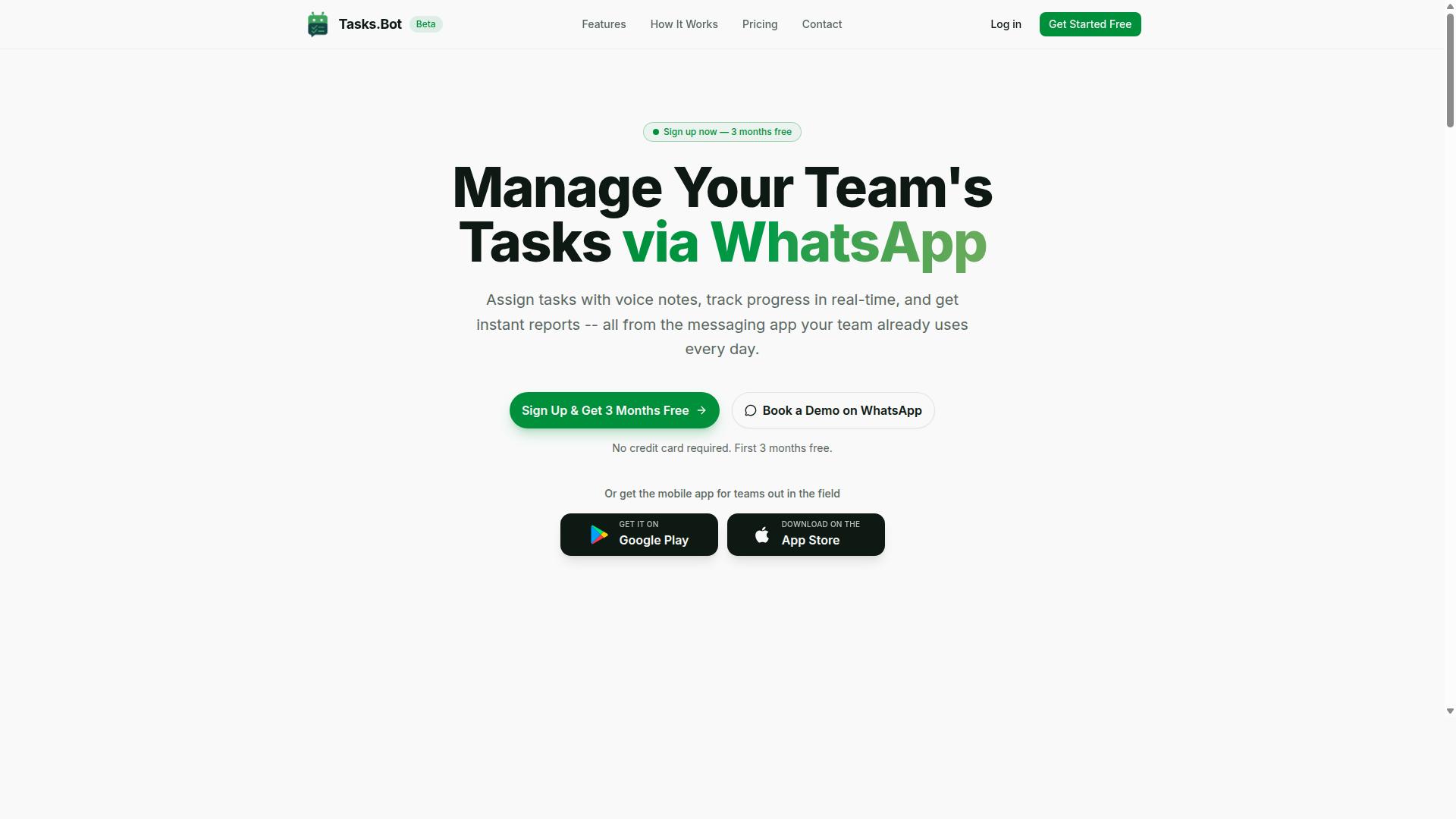
Tasks.Bot is a task management platform that operates entirely within WhatsApp, enabling teams to assign tasks, track progress, and receive reports without leaving the messaging app. There is no new app to install for everyday use and no separate accounts for team members to create. If your team already lives in WhatsApp, the platform meets them where they are.
The core value proposition is simplicity. Instead of asking people to adopt yet another productivity app, Tasks.Bot turns the chat thread they already use into a task management workspace. Assignments, updates, and approvals all happen in the same conversation flow your team checks dozens of times a day.
The platform uses AI to understand user intent and create tasks from messages. That includes voice note task creation, so a manager can speak a task out loud and let natural language processing handle the details. This lowers the barrier for field teams and anyone who would rather talk than type.
Tasks.Bot also offers a mobile app for field teams, with Android and iOS versions that include push notifications, voice capture, and a home screen widget. The service is currently in beta and used by hundreds of teams, and it offers a free trial period. Beyond basic task assignment, the feature set covers smart deadline reminders, approvals and automations, instant reports, tasks on a map, a live day tracker, face-verified attendance, and shifts, leave, and hours management.
For teams exploring Make integration and AI automation, Tasks.Bot matters because it sits at the intersection of chat, task data, and machine understanding. Those three ingredients are exactly what a no-code automation scenario needs to trigger, route, and complete work automatically.
How Tasks.Bot Fits into Make Integration and AI Automation Workflows
Tasks.Bot can be connected to Make (formerly Integromat) to automate task creation, updates, and notifications based on triggers from other apps. Its API and webhooks act as the bridge between your WhatsApp task data and the rest of your SaaS tools.
In practice, this means a trigger event in one app can fire an action module in another. Consider a few common patterns:
- A new row added to Google Sheets automatically creates a task in Tasks.Bot and assigns it to a team member.
- A task completed in Tasks.Bot updates a connected project management tool.
- A status change elsewhere in your stack pushes a smart notification back into the relevant WhatsApp conversation.
What makes these scenarios more useful than a plain data sync is Tasks.Bot's natural language processing. Incoming data, whether a form submission, a chat message, or a voice note transcript, can be parsed for task details before the record is created. That reduces the manual cleanup a scenario builder would otherwise need.
When you set up the connection, you will typically work with OAuth authentication or an API key, depending on what the integration supports. Data mapping is the other key consideration. You will match fields in your trigger app to the corresponding fields in Tasks.Bot, and review the JSON payloads that pass between steps to confirm everything lands where you expect.
The payoff is no-code automation for teams already using WhatsApp. You do not need developers to build complicated processes with conditional logic. You configure the scenario, test it, and let it run. Tasks.Bot's beta status means the integration surface may evolve, so it is worth checking current documentation before building anything mission critical.
Reminderly.ai vs Tasks.Bot: Which Is Better for Make Integration AI Automation?
When comparing Reminderly.ai and Tasks.Bot for Make integration, key differences emerge in their core approach: Reminderly.ai focuses on reminder scheduling, while Tasks.Bot offers full task management within WhatsApp. Both can plug into Make scenarios, but they solve different problems for teams building workflow automation.
Reminderly.ai is best understood as a reminder tool with AI capabilities layered on top. It handles reminder scheduling well, yet getting the full picture often means pairing it with separate apps for task tracking, team collaboration, or project management. That adds steps to any Make scenario and more tools for a team to manage.
Tasks.Bot works differently because it is WhatsApp-native. Team members do not need to install anything or create new accounts, so the tool lives inside a channel people already use daily. For Make integration, that means automation flows connect to conversations your team is already having, not another dashboard they have to remember to open.
How Each Handles Triggers and Actions in Make
In a Make integration, a tool's value comes down to its trigger events and action modules. Reminderly.ai may offer specific reminder triggers, which suits scenarios built around scheduled nudges and deadline tracking. The automation fires when a reminder is due or completed, and that is largely where its workflow role ends.
Tasks.Bot covers a wider surface for the scenario builder. Its Make integration can support task creation, assignment, and status updates as triggers and actions, which means a multi-step workflow can move a task through a pipeline without leaving WhatsApp. Conditional logic and data mapping can route work based on who owns a task or what state it is in.
Tasks.Bot's AI also understands natural language and voice notes for task creation. In a Make scenario, that capability matters because input does not have to be structured. A field worker can send a voice note, the task gets captured, and the automation picks up from there. That is a meaningful difference from tools that expect clean form data before anything can be triggered.
For teams running field operations, Tasks.Bot adds face-verified attendance and live GPS tracking, which can feed location and check-in data into broader workflows. Enterprise-grade encryption protects that data, and conversations and task data are never shared or used for training. A 3-month free trial with no credit card required lets teams test the Make integration before committing.
Which Tool Fits Which Use Case
The right choice depends on what the automation is meant to accomplish. Reminderly.ai suits simple reminder scheduling, where the goal is a timely nudge and little else. If a team only needs recurring reminders wired into a no-code platform, a dedicated reminder tool can be enough.
Tasks.Bot fits teams that need comprehensive task management with team collaboration. Because it operates entirely within WhatsApp, it doubles as a chatbot integration and a task system at once. The same channel handles assignment, deadline tracking, recurring tasks, and status changes, all of which can be exposed to Make as triggers and actions.
Consider a practical split. A solo user tracking personal deadlines might find a reminder-first tool sufficient. A distributed team coordinating assignments across WhatsApp, with voice note input and field staff check-ins, gets more from Tasks.Bot. The automation connectors matter less than whether the underlying tool actually holds the work being automated.
For Make integration AI automation, Tasks.Bot is the stronger fit for most teams. It combines task creation, assignment, and status updates with natural language processing and voice input, all inside a channel the team already uses. Reminderly.ai remains a reasonable pick for narrow reminder scheduling, but it cannot match the breadth of task management and collaboration that Tasks.Bot brings to a scenario.
Key Features That Make Tasks.Bot Stand Out for Automation
Tasks.Bot distinguishes itself through a suite of automation-focused features designed to streamline task management within WhatsApp. Every capability is built so that routine coordination work happens on its own, rather than waiting for someone to chase updates or retype instructions.
That matters for teams connecting Tasks.Bot to a no-code platform like Make. Because the tool runs natively inside WhatsApp, the messages, voice notes, and approvals your team already sends become usable trigger events for scenario building.
Fewer manual steps means cleaner data flowing between your productivity apps. A task created in a chat can kick off a multi-step workflow, and updates can travel back into the conversation without anyone opening a separate dashboard.
The features below carry most of that weight. One set covers how tasks get created and assigned through natural language processing. The other covers what happens after a task exists: approvals, deadline tracking, and reporting.
Voice Notes, Natural Language AI, and Automatic Task Assignment
Tasks.Bot allows users to create tasks by sending voice notes or natural language messages in WhatsApp, which the AI then parses to extract task details and assign them automatically. There is no form to fill in and no field to map by hand.
Behind the scenes, the service uses AI to understand user intent. That means intent recognition and entity extraction work together to pull out the pieces that matter: the task itself, a due date, and the person responsible.
Consider a message like "Remind John to submit the report by Friday." The system reads that as a task, ties it to John, and files it with a Friday deadline. Automatic task assignment then routes it based on predefined rules or AI suggestions, so ownership is settled at the moment of creation.
For Make users, the practical value is the input layer. Voice note transcriptions and parsed task details can serve as trigger events that start a scenario, letting you push that structured data into other SaaS tools through action modules.
This removes a common bottleneck in workflow automation. Instead of asking people to log tasks in a separate system, the capture happens in the app they already have open, and the automation picks it up from there.
Approvals, Smart Deadline Reminders, and Instant Reports
Tasks.Bot includes approval workflows, context-aware deadline reminders, and instant reporting to keep teams on track without leaving WhatsApp. Each one closes a gap that usually causes projects to stall.
Approvals let a task require sign-off before it is marked complete, with the notification delivered through WhatsApp. That keeps deadline tracking honest, since finished work has to be confirmed rather than simply assumed.
Smart deadline reminders take a different approach to smart notifications. Rather than firing at fixed intervals, reminders are shaped by task priority and user behavior so the system avoids notification fatigue. Fewer, better-timed nudges tend to get more response than a steady stream of pings.
Instant reports cover task status, completion rates, and team performance, delivered directly in WhatsApp. There is no separate analytics login and no export step before a manager can see where things stand.
These features also slot into Make scenarios. A project milestone can trigger report generation, or an approval event can push a status update into another app through action modules and conditional logic. Teams get a record of what happened without anyone assembling it by hand.
Pricing and Plans: Tasks.Bot vs Reminderly.ai
Tasks.Bot offers a straightforward 'Full Access' plan with all features included, priced at ₹200 per member per month or ₹1,200 per year per member, while Reminderly.ai's pricing may vary based on features and usage. That difference in transparency matters when you are comparing tools for Make integration and AI automation, because hidden tiers and feature gates make budgeting harder.
The Tasks.Bot model is simple by design. There are no tiers, no locked features, and no upgrade ladder. Every user on the plan gets the same complete set of capabilities, which removes the guesswork that usually comes with SaaS tools that split functionality across Basic, Pro, and Enterprise levels.
| Plan Detail | Tasks.Bot | Reminderly.ai |
|---|---|---|
| Plan structure | Single 'Full Access' plan | Not specified in available data |
| Monthly price | ₹200 per member per month | Check the Reminderly.ai website |
| Annual price | ₹1,200 per year per member | Check the Reminderly.ai website |
| Currency options | Indian Rupee and US Dollar | Not specified in available data |
| Free trial | 3 months free, no credit card required | Not specified in available data |
The annual plan works out to ₹100 per month per member, a saving of 50% compared with paying monthly. Over a year, that is ₹1,200 saved per member. Tasks.Bot also states that new users get 3 months free, no credit card required, and can cancel anytime, which lowers the risk of evaluating the platform before committing budget.
Pricing is listed in both Indian Rupees and US Dollars, and the site includes a 'Select currency' option for Indian Rupee and US Dollar. Readers outside India should verify the currency shown at checkout, since conversion and regional display can shift the final figure.
For Reminderly.ai, the available data does not include pricing information. Anyone comparing the two for Make integration or workflow automation should check the Reminderly.ai website directly for current rates, plan limits, and any usage-based charges attached to message volume or seats.
Value for money depends heavily on what your team already uses. If your team already runs on WhatsApp, Tasks.Bot removes the need to pay for a separate reminder app or notification service. That consolidation matters for teams juggling multiple SaaS tools, because every extra subscription adds cost and another integration to maintain inside a Make scenario.
One caveat worth noting: Tasks.Bot is in beta. Beta pricing can change as a product matures, so treat current rates as favorable but subject to revision. Even so, a single all-inclusive plan at ₹200 per member per month is easy to forecast, unlike usage-based models that scale unpredictably with automation volume.
When weighing the two for AI automation and reminder scheduling, ask three questions: does the plan include every feature, is the price per member or per workspace, and does the vendor publish rates openly. Tasks.Bot answers all three with a flat, published number. For Reminderly.ai, those answers require a direct check with the vendor.
Trust Signals: Beta Status, Encryption, and Refund Policy
Tasks.Bot is currently in beta, which means features may evolve, but the platform employs encryption and offers a refund policy to mitigate risks. For anyone weighing Make integration and AI automation, these three signals matter more than a polished marketing page. They tell you what stage the product is at, how your data is handled, and what happens if the fit is not right.
Beta status is the most visible of the three. It is also the most misunderstood, because it cuts both ways.
What beta status really means. A beta label signals active development. Features can change, interfaces can shift, and occasional bugs are possible, especially in edge cases like unusual trigger events or complex data mapping.
The upside is influence. Teams that adopt early often get a closer feedback loop, and their real-world use cases can shape what gets built next. If your workflow automation needs are still forming, that trade can be worth it.
If your needs are rigid and mission critical, beta carries more risk. A stable release is not the same as a moving target, and you should plan accordingly.
Encryption as a baseline safeguard. Tasks.Bot employs encryption to protect data. Specifics are not published, so treat this as a standard security baseline rather than a differentiator.
That matters when your Make integration passes JSON payloads between systems. Data in transit and at rest deserves protection, and OAuth authentication adds another layer when you connect outside SaaS tools.
Encryption is not a substitute for good hygiene. Scope your credentials tightly, avoid sending sensitive fields you do not need, and review what each action module actually touches.
The refund policy as a safety net. The Tasks.Bot site mentions a refund policy in the footer. That single line matters because it lowers the cost of trying the product.
For a beta-stage tool, a refund path is a practical form of risk sharing. It means a poor fit does not have to become a sunk cost while you are still evaluating whether task management and reminder scheduling belong in your stack.
Read the actual terms before you commit, since the footer reference is a pointer, not the full text. Know the window and the conditions.
How to weigh these signals for critical workflows. Match the trust profile to the stakes. Not every automation deserves the same caution.
- Low stakes: internal reminders, recurring tasks, and deadline tracking for a small team. Beta risk is easy to absorb here.
- Medium stakes: complicated processes with conditional logic feeding project management or team collaboration tools. Test thoroughly and keep a manual fallback.
- High stakes: anything customer facing or compliance bound. Wait for stability, or isolate the integration so a failure cannot cascade.
A no-code platform makes it tempting to wire everything together at once. Resist that. Build one scenario builder flow, watch it for a week, then expand.
If you want to see how the product behaves before you commit, the site includes a Book a Demo on WhatsApp option. That is a low-friction way to ask direct questions about roadmap timing and stability.
The verdict on trust. Beta status, encryption, and a refund policy together form a reasonable package for an early-stage chatbot integration and AI automation tool.
Beta means faster innovation but less stability. Encryption covers the data handling basics. The refund policy provides a genuine safety net if the fit is wrong.
For most teams exploring Make integration, that combination is enough to justify a careful trial. Start with non-critical flows, confirm the refund terms yourself, and scale once the automation proves itself.
Who Should Use Tasks.Bot for Make Automation
Tasks.Bot is ideal for teams that already communicate via WhatsApp, especially those with field staff who need task management, attendance tracking, and payroll-ready hours. Rather than asking people to adopt yet another app, it works inside the messaging tool they already open every day.
That single design choice shapes who gets the most value from connecting Tasks.Bot to Make. Adoption tends to be high because there is no training required beyond normal chatting, and the site notes that hundreds of teams already use the service.
Below are the profiles that fit best, plus how Make automation extends each one.
- Small to medium businesses that run operations over WhatsApp and want task management without a heavy rollout.
- Remote teams spread across locations who need shared visibility on assignments and deadlines.
- Field service teams logging attendance and hours from job sites, where payroll-ready records matter.
- Project managers coordinating recurring tasks and deadline tracking across several crews or clients.
WhatsApp-native delivery is the reason these groups stick with it. When the tool lives where conversations already happen, team collaboration does not depend on anyone remembering to check a separate dashboard.
Make integration adds the connective layer. Through workflow automation, a form submission can trigger task creation, and CRM updates can sync with the same records. The scenario builder handles complicated processes, conditional logic, and data mapping, so information moves between systems without manual re-entry.
Consider a few concrete examples. A construction team can turn a site inspection form into an assigned task with a due date. A delivery service can push route exceptions into a shared queue. A sales team can sync a new deal into a follow-up reminder.
Tasks.Bot is also accessible worldwide, which suits distributed operations that span regions and time zones. Because the interface is conversational, new crew members can participate from day one.
For choosing between the two tools: Tasks.Bot is the stronger fit for comprehensive task management inside a team context, with attendance tracking and payroll-ready hours built around field work. Reminderly.ai may suit individuals who mainly need reminder scheduling. Teams coordinating people, shifts, and tasks will find more to work with here.
Final Verdict: Tasks.Bot for Make Integration AI Automation
Tasks.Bot presents a compelling option for teams seeking WhatsApp-native task management with robust Make integration and AI automation capabilities. Rather than forcing users to adopt yet another standalone dashboard, it meets them where conversations already happen.
That WhatsApp-native approach is the core differentiator. For teams already running daily coordination inside WhatsApp, task creation and reminder scheduling stay inside the same thread instead of scattering across separate productivity apps.
Layered on top are AI features built around natural language processing, intent recognition, and context-aware reminders. Instead of filling out structured forms, users describe what they need in plain language, and the system interprets the request.
Pairing that with Make opens up genuine workflow automation. Through automation connectors, trigger events, and action modules, teams can move tasks across their stack without manual re-entry.
- WhatsApp-native task management and team collaboration
- AI-driven intent recognition and context-aware reminders
- Make integration for complicated processes and conditional logic
- Recurring tasks and deadline tracking inside a familiar chat interface
There is one honest caveat worth stating. Tasks.Bot operates in beta status, which means the platform is still evolving. For early adopters comfortable with that, the upside is meaningful: a tool shaped around real WhatsApp workflows rather than retrofitted onto them.
Compared with Reminderly.ai, Tasks.Bot leans further into full task management rather than reminder scheduling alone. Teams needing deeper project management alongside automation via Make will find more surface area here.
For teams that want seamless task management within WhatsApp and workflow automation through Make, Tasks.Bot is worth trying. To get started or ask questions, reach out by phone at +91 97143 42522 or email [email protected]. You can also use the Book a Demo on WhatsApp option to see the platform in action before committing.
Frequently Asked Questions
What makes Tasks.Bot different from Tasks.Bot alternatives when used with Make?
Tasks.Bot runs task management entirely inside WhatsApp, so your team can create tasks with natural language or voice notes and get reminders, approvals, and reports without installing anything or creating new accounts. That means Make automations can trigger and receive task updates in the same app your team already uses every day. It's currently in beta, and you can book a demo on WhatsApp to see it in action.
Do I need technical skills to connect Tasks.Bot to Make?
No - Tasks.Bot is built for teams that communicate on WhatsApp, not for developers. If you can set up a Make scenario, you can connect Tasks.Bot to your other tools, and your team interacts with it through plain WhatsApp messages. If you'd like help getting started, you can reach the team at [email protected] or +91 97143 42522.
How much does Tasks.Bot cost compared to other task bots?
Tasks.Bot offers a single 'Full Access' plan with all features included, priced at ₹200 per member per month, or ₹1,200 per year per member (a 50% saving on the annual plan). Pricing is available in both Indian Rupees and US Dollars. For competitor pricing, check each vendor's current plans directly, since these can change.
Can Tasks.Bot handle field teams and attendance, not just tasks?
Yes. Tasks.Bot is designed for teams with field staff, offering face-verified attendance, live day tracking, tasks on a map, and payroll-ready hours alongside standard task assignment and progress tracking. There's also a mobile app for field teams. All of this works globally, since Tasks.Bot is a SaaS product accessible via WhatsApp and mobile apps with no country restrictions.
What kinds of automations can I build with Tasks.Bot and Make?
Tasks.Bot supports voice note task creation, automatic task assignment, smart deadline reminders, approvals and automations, and instant reports. Combined with Make, you can connect those task events to the rest of your stack so updates flow automatically between WhatsApp and your other tools. The exact scenarios depend on your workflow - a demo on WhatsApp is the fastest way to see what fits.
Is there a refund policy or a way to try Tasks.Bot first?
Tasks.Bot mentions a refund policy in its website footer, so it's worth reviewing the terms before you commit. You can also book a demo on WhatsApp to see how Tasks.Bot works with your team before choosing a plan. For any specific questions about billing or refunds, contact [email protected] or +91 97143 42522.
Recommended Resources: