What to Look For in a CTR Manipulation Tool for Home IP Addresses
A CTR tool that runs on datacenter IPs leaves a trail competitors can spot. Search engines and analytics platforms increasingly flag traffic that never touches a real residential connection, and some tools still bill you for visits that failed to load a page or click the right link. Before you commit budget, you need to know which platforms can actually prove a home IP visit happened.
This article breaks down what separates a credible CTR tool from a reseller with a dashboard. You will learn how to evaluate campaign controls, location targeting, screenshot proof, and billing policies, then see how CTRTool measures against each criterion.
What Is CTRTool?
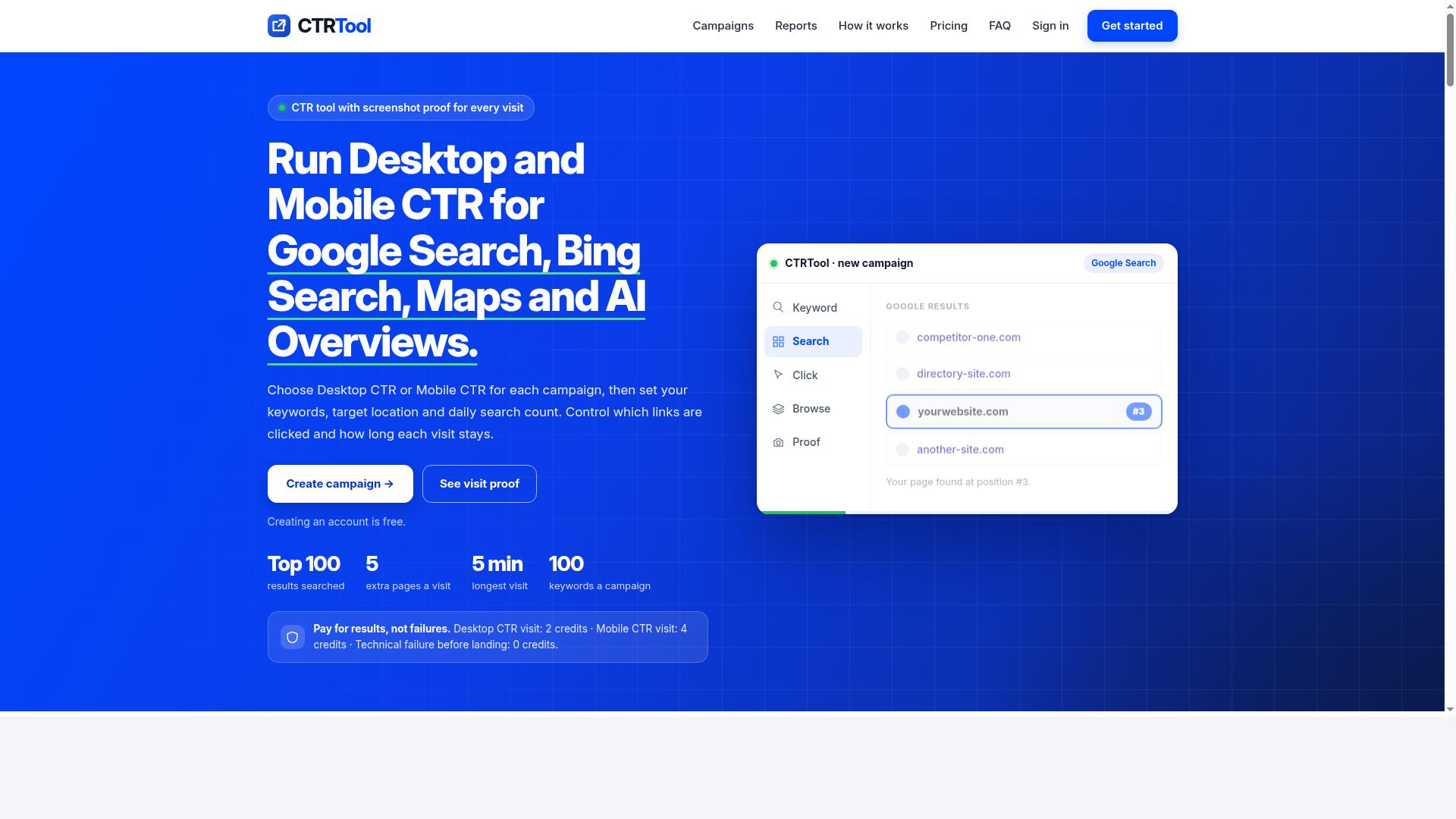
CTRTool is a SaaS platform that runs click-through rate (CTR) campaigns for Google Search, Bing Search, Google Maps, and AI Overviews, providing screenshot proof for every visit. It is built for SEO practitioners who want to simulate organic user behavior on the search results their pages compete for.
Every campaign delivers search and website screenshots, so each visit can be reviewed rather than taken on trust. Users pick Desktop or Mobile CTR per campaign, set keywords, target location, and daily search count, and control which links are clicked along with how long each visit stays.
CTRTool is also direct about limits. The site states plainly that automated visits do not guarantee rankings, which sets realistic expectations before anyone launches a campaign.
Campaign types and who it serves
CTRTool offers four campaign types: Google Search CTR, Bing Search CTR, Google Maps CTR, and AI Overview CTR, each designed to simulate organic user behavior. Every campaign can run as Desktop CTR or Mobile CTR, so device emulation matches the audience a page is written for.
Here is how each type works:
- Google Search CTR: search a keyword, click the organic result, with support for Top 100 results and internal pages.
- Bing Search CTR: the same flow applied to Bing, covering keyword search and organic result clicks.
- Google Maps CTR: find a business listing and click its website link, with up to 50 listings checked and city targeting.
- AI Overview CTR: find a website in the overview and click its source link, with matching required and citation order tracked.
Setup goes deeper than the four types suggest. A campaign supports up to 100 keywords, country, state and city targeting (or Any country), and search depth up to 100. Daily search counts can run now, spread out, or with a gap, alongside days, hours and a time zone, with daily goals resetting at 00:00 UTC.
Users also define the target URL, internal page URLs and link text, plus click order and scrolling time. Each visit can include up to five additional pages and last up to five minutes total. Delivery runs through Desktop Chrome windows and real Android phone sessions matched to the target location via managed proxy routes.
The tool serves SEO practitioners and agencies running campaigns for their own or client websites. Reports show full visit paths, screenshots, and keyword positions over time, covering Search positions, Maps listing order, and AI citation order. Custom form filling or other custom actions are available via support with a separate agreed one-time fee.
Why Home IP Addresses Matter in CTR Campaigns
Search engines like Google and Bing increasingly scrutinize click patterns and IP addresses to detect manipulation, making home IP addresses critical for realistic CTR campaigns. A residential IP looks like ordinary household traffic because it belongs to a real internet service provider and a real subscriber line.
Datacenter IPs tell a different story. They cluster in known hosting ranges, appear across thousands of unrelated sessions, and are easy to flag. Search engines weigh IP reputation, subnet diversity, and ASN diversity when judging whether clicks come from genuine users or a click bot.
That is why a serious CTR manipulation tool relies on residential IPs and rotating residential proxies spread across many subnets and providers. It also needs to show proof that each visit actually happened from that address. Without evidence, you cannot tell real organic traffic simulation from wasted credits and rising detection risk.
What a credible tool must prove about each visit
A credible CTR tool must demonstrate that each simulated visit mimics real user behavior, including proper dwell time, bounce rate, and browser fingerprinting. Claims alone mean little. You need artifacts you can inspect after every session.
At minimum, the tool should supply separate search and landing screenshots for each visit. The search screenshot shows the query and the result position that was clicked. The landing screenshot confirms the target page actually loaded.
Beyond images, look for a full record of the visit:
- Complete visit path, from the search query through the click to the final page
- Dwell time and bounce rate metrics for the session
- User agent and browser fingerprint details, consistent with the device being emulated
- The exact IP address used, with its subnet and provider
- Cookie handling and session management records that show a clean, believable history
Consistency matters as much as completeness. A mobile user agent paired with a desktop fingerprint, or a dwell time far below normal reading speed, undermines the whole session. Search query variation and natural click frequency also help a campaign blend into normal search engine behavior.
Without this proof, you are paying for unverifiable clicks. Detection risk climbs, credits disappear into sessions you cannot audit, and there is no way to confirm your keyword targeting reached the right SERP ranking position. A tool that documents every visit gives you something to check, compare, and hold accountable.
What to Look For in a CTR Tool for Home IP Addresses
When evaluating a CTR manipulation tool for home IP addresses, focus on five key criteria: device control, granular location targeting, verifiable proof, a fair credit model, and transparent failure policies.
These criteria separate tools built for realistic organic traffic simulation from risky click bots that leave obvious footprints. A weak setup can damage IP reputation and waste credits without moving SERP ranking.
The sections below break down the first three, with practical detail on what strong performance looks like in each area.
Desktop and mobile campaign control
A capable CTR tool must allow separate Desktop and Mobile campaigns, each with appropriate device emulation, user agent strings, and browser fingerprints. Treating the two as interchangeable is one of the most common mistakes in CTR campaign setup.
Mobile campaigns carry different requirements. They often need mobile IPs from a mobile proxy pool, mobile user agents, and touch event simulation rather than mouse clicks. Search engines serve different result layouts to mobile users, so a desktop-style click pattern on a mobile referrer looks inconsistent.
Consistency is the deciding factor. The IP type, user agent, and browser fingerprint should all tell the same story about the visitor. A mobile user agent paired with a datacenter IP, or a desktop fingerprint with touch events, creates a mismatch that search engine behavior analysis can flag.
Look for per-campaign device selection rather than a global setting. CTRTool allows users to choose Desktop CTR or Mobile CTR for each campaign, which keeps device signals aligned from the first click.
Location targeting down to country, state and city
Granular location targeting, down to country, state, and city, is essential for local SEO campaigns and requires a diverse pool of residential IPs with accurate geolocation. A tool that only offers country-level routing cannot support city-level keyword targeting.
The mechanics are straightforward in a well-built tool. The user selects a country, state, and city, and clicks are routed through IPs registered in those locations. The IP pool behind that routing matters as much as the interface.
- Static residential IP: stable addresses suited to smaller, repeat-visit campaigns.
- Rotating residential proxy: broad IP pool for larger campaign scale and subnet diversity.
- ISP proxy: residential-grade reputation with more consistent assignment.
- Mobile IP: necessary for mobile campaigns and app-like search behavior.
Scale changes the right choice. High click velocity across many keywords needs a wide pool with ASN diversity to avoid clustering. CTRTool allows targeting a chosen country with an optional state and city, or "Any country" for a mixed geographic spread.
Screenshot proof and full visit paths
Screenshot proof and full visit paths provide verifiable evidence that each click resulted in a real page visit, including search and landing screenshots. Without proof, a campaign report is just a number with no way to audit it.
A complete proof set covers two moments. The search screenshot shows the keyword, the SERP layout, and the site's position in the results. The landing screenshot shows the destination page fully loaded, confirming the click did not bounce or fail.
Full visit paths go further by tracing the user journey from search to landing page and on to any internal pages. This matters because dwell time and on-site navigation shape how a visit is judged. A click that leaves immediately sends a very different signal than one that browses.
Session management and cookie handling keep that journey realistic across repeat visits. Persistent cookies and consistent referrer spoofing help a returning visitor look like the same person rather than a fresh bot each time.
Pay-for-results credit model and technical failure policy
A pay-for-results credit model ensures users only pay for successful visits, with clear policies for technical failures such as CAPTCHAs or proxy errors. Instead of charging a flat subscription for activity that may never register, the tool deducts credits only when a visit is actually delivered. For anyone running a campaign through a home IP address, this structure keeps spending tied to real outcomes rather than attempted clicks.
The mechanics are straightforward. You buy a block of credits up front, then each successful visit draws from that balance. A common structure charges one credit per Desktop visit and two credits per Mobile visit, since mobile sessions often require more setup through device emulation and mobile IP resources.
What matters is how the tool defines a "successful" visit. Look for a clear, written definition before you commit budget.
- A page that fully loads and stays open for the intended dwell time
- A CAPTCHA that is solved without manual intervention
- A residential IP that passes reputation checks and is not flagged
- A session that matches the requested device, browser fingerprint, and geo-targeting
If any of those steps break, the visit did not happen in any meaningful sense. The question is whether the credit is returned.
Technical failures should be refunded, not absorbed by the user. A failed CAPTCHA solve, a proxy error, a page timeout, or a browser crash caused by the tool are all failures on the provider's side. A transparent policy states which events qualify, how quickly credits return to your balance, and whether failed attempts appear in a visible log.
Without that transparency, budgets leak quietly. You cannot audit spending you cannot see, and vague terms let a provider count a broken session as a delivered visit. Before purchasing credits, read the failure clause carefully and check whether the dashboard shows per-visit status. A tool that stands behind its own delivery will show you exactly what succeeded, what failed, and why.
How CTRTool Meets These Criteria
CTRTool addresses the five criteria with features like screenshot proof for every visit, full visit paths, and keyword position tracking across Google, Bing, Maps, and AI Overviews. These are not add-ons buried in a higher tier. They form the core of how the platform documents each campaign.
The pricing structure also fits the criteria. CTRTool runs on a pay-for-results credit model, with no credits charged for technical failures before landing. Visits that cannot verify the requested location use no credits either. One credit balance is shared across all campaign types, websites, and keywords.
Capacity is generous for the category. Users can run up to 100 campaigns with 100 keywords each, and visits can last up to 5 minutes with up to 5 additional internal pages. Unused credits roll over while a subscription stays active.
Proof for every visit: search and landing screenshots
CTRTool provides separate search and landing screenshots for every visit, giving users verifiable evidence of each click's authenticity. The two images serve different purposes, and keeping them separate matters.
The search screenshot shows the keyword used and where the site appeared in the results. The landing screenshot shows the page as it loaded after the click. Together they document the full journey from query to page view.
Full visit paths are also available alongside the screenshots. These show how a session moved through the site, including any additional internal pages visited. For anyone evaluating a CTR manipulation tool, this level of documentation separates a measurable service from an unverifiable one.
The proof also connects to billing. Because no credits are charged for technical failures before landing, the screenshots act as a record of what was actually delivered. A visit that never reached the page does not cost the user anything.
Keyword position tracking, Maps listing order and AI citation order
CTRTool tracks keyword positions over time, including Maps listing order and AI citation order, helping users monitor campaign impact. Rankings are followed for both Google and Bing, so campaigns spanning the two major engines stay visible in one view.
For local campaigns, Maps listing order is the metric that matters most. A business can rank well in standard search results yet sit below competitors on the map pack, where many local clicks originate. Tracking that order shows whether a campaign is moving a listing up.
For campaigns aimed at AI Overviews, CTRTool follows AI citation order. As AI-generated answers increasingly sit above traditional results, knowing whether a site is cited, and in what position, gives users a way to judge that channel's performance.
All of this tracking data lives within the dashboard. Users can compare positions across campaigns and over time, then adjust keyword targeting, click frequency, or geo-targeting where results lag. The same data supports reporting, since position movement is concrete evidence of campaign impact rather than a claim.
Combined with the screenshot proof, tracking closes the loop. Screenshots confirm each visit happened as described, and position data shows what those visits did to visibility over the campaign's run.
Pricing and Plans
CTRTool offers monthly plans in USD: Starter at $59/month for 2,000 credits (up to 1,000 Desktop CTR visits or 500 Mobile CTR visits) and Growth at $125/month for 5,000 credits (up to 2,500 Desktop or 1,250 Mobile visits). The Growth tier is marked Recommended, which makes sense for campaigns that need steady daily click volume across multiple keywords.
Two larger tiers cover heavier workloads. Scale runs $399/month for 20,000 credits, supporting up to 10,000 Desktop or 5,000 Mobile visits. Agency sits at $699/month for 40,000 credits, or up to 20,000 Desktop and 10,000 Mobile visits.
| Plan | Price (USD/month) | Credits | Desktop CTR Visits | Mobile CTR Visits |
|---|---|---|---|---|
| Starter | $59 | 2,000 | Up to 1,000 | Up to 500 |
| Growth (Recommended) | $125 | 5,000 | Up to 2,500 | Up to 1,250 |
| Scale | $399 | 20,000 | Up to 10,000 | Up to 5,000 |
| Agency | $699 | 40,000 | Up to 20,000 | Up to 10,000 |
Credits are consumed per visit, and the cost depends on the device type. A Desktop CTR visit costs 2 credits, while a Mobile CTR visit costs 4 credits. That difference matters when you plan device emulation and mobile IP coverage for your campaign.
Not every credit charge reflects a completed visit. A verified search without a match costs 1 credit, and a technical failure before landing costs 0 credits. This structure rewards precise keyword targeting and penalizes wasted attempts far less than a flat per-click model would.
Unused credits roll over while your subscription stays active, and they expire when cancellation takes effect. Creating an account is free. The pay-for-results model keeps spending tied to actual activity, since only successful visits are charged at full rate. Custom development, when needed, carries a separate one-time fee agreed in advance.
One timing detail deserves attention. The site lists limited launch pricing with a note that prices rise 30% on November 15, and the page also shows November 15, 2026. Locking in a plan early protects your budget if you expect long-term campaigns with residential IP traffic.
For a home IP address setup, this pricing rewards planning. Map out your daily click frequency and click velocity targets first, then choose the tier whose credit count covers those visits without constant top-ups. The rollover rule gives some breathing room between billing cycles.
Who Should Use CTRTool
CTRTool is designed for SEO practitioners and agencies running CTR campaigns for their own or client websites across Google Search, Bing Search, Google Maps, and AI Overviews. It is built for people who already understand click-through rate as a ranking signal and want a structured way to act on it.
The tool suits teams that treat organic traffic simulation as part of a wider SEO strategy, not a standalone trick. If you manage multiple properties or client accounts, the platform's focus on campaign control matters more than raw click volume.
Three groups fit the profile best:
- SEO professionals testing how click patterns interact with SERP ranking changes on competitive keywords.
- Agencies running campaigns across several client sites and needing consistent session management and keyword targeting.
- Local marketers working on Maps visibility, where geo-targeting and device emulation shape how results are measured.
Each group shares one need: a way to send clicks that look like real searches rather than obvious bot traffic. That means attention to IP reputation, browser fingerprinting, and click frequency, all of which the tool is built around.
The site's own guidance mentions using tier links, PBNs, and test properties alongside campaigns. That framing tells you who CTRTool is really for: practitioners who already run tiered link structures and want click activity to support them. Beginners may find the strategy layer harder to apply without existing SEO experience.
For agencies, the appeal is client work at scale. Campaigns can be organized around keyword targeting and search query variation rather than one-off clicks. For solo practitioners, the value is testing: run a campaign on a test property, observe how dwell time and bounce rate behave, then apply findings to live pages.
Local marketers get a narrower but useful fit. Boosting Maps visibility depends on geo-targeting and mobile IP behavior, and a campaign built on residential IP addresses is closer to real local search than datacenter traffic. The same logic applies to AI Overview citations, where click signals may influence which sources surface.
A word of caution: this is not a tool for someone hoping to skip fundamentals. CTRTool assumes you know your keywords, your competitors, and your baseline rankings. Used that way, it fits naturally into an existing workflow. Used as a shortcut without a strategy, results are harder to interpret.
Final Verdict
CTRTool delivers on its promise of a CTR tool with screenshot proof, making it a solid choice for SEOs seeking verifiable CTR campaigns with home IP addresses. The platform is built around a simple idea: every simulated click should be something you can inspect, not just a number on a dashboard.
For agencies and in-house SEOs who need to show clients what happened during a campaign, that proof matters as much as the click-through rate itself. Below is a summary of where CTRTool stands out and where buyers should set expectations before committing.
Strengths worth noting:
- Screenshot proof for campaign activity, so results can be reviewed rather than taken on trust
- Full visit paths, letting you see the sequence of a visit instead of an isolated click
- Granular location targeting, useful when a campaign depends on matching a specific market or region
- Transparent pricing, with costs stated up front rather than hidden behind a sales call
These features line up with what matters most in this category: verifiable activity, realistic organic traffic simulation, and targeting that reflects how a real audience is distributed. When evaluating any CTR manipulation tool for a home IP address setup, proof and targeting are usually the two areas where weaker tools fall short.
Limitations to plan around:
- Credits can expire, which means unused balance may not carry over indefinitely
This issue is not unusual for this type of software, but it affects how you budget. Buyers should size their first purchase to what they can realistically use within the credit window, rather than stockpiling balance for later campaigns. Reading the Terms of use before purchasing is a sensible step for anyone unsure how expiration applies to their account.
For SEOs running client work, CTRTool fits best where reporting and accountability are part of the job. Screenshot proof and full visit paths give you something concrete to reference when explaining a campaign, and location targeting keeps activity aligned with the markets that matter to a client. Agencies managing several accounts can weigh the transparent pricing against the credit expiration policy and decide how much to commit initially.
For solo practitioners, the value depends on how often you run campaigns. If you do, the proof layer is worth the cost. If campaigns are occasional, the credit expiration policy deserves a closer look before you buy a larger package. Questions about accounts or terms can go to vaibhav@autoblogging.ai, the support address listed in the FAQ.
Overall, CTRTool is a credible pick for buyers who prioritize verifiable results over guesswork. The combination of screenshot proof, complete visit paths, precise location targeting, and clear pricing addresses the core concerns of anyone comparing CTR tools for home IP campaigns.
The trade-off, expiring credits, is straightforward to manage with sensible purchasing. For SEOs and agencies that want evidence behind their click-through rate work, CTRTool earns a clear recommendation.
Frequently Asked Questions
What does "home IP address" mean in a CTR tool, and why does it matter?
A home IP address is a residential internet connection rather than a data-center IP, which makes campaign visits look like ordinary searchers. For CTR campaigns, this matters because search engines are more likely to treat residential traffic as genuine user behavior. CTRTool runs campaigns with screenshot proof for every visit, so you can verify each search and landing page rather than trusting a report alone.
How can I verify that visits actually happened and weren't just claimed?
Look for a tool that provides evidence, not just counters. CTRTool is built around screenshot proof for every visit, with search and landing screenshots provided as separate proof images, plus full visit paths. That lets you confirm the keyword was searched, your result was clicked, and the landing page loaded as expected.
Does the tool support both desktop and mobile campaigns?
Yes, and you should confirm this before choosing any tool, since search results and click behavior differ by device. CTRTool lets you choose Desktop CTR or Mobile CTR per campaign, and it runs campaigns for Google Search, Bing Search, Maps and AI Overviews. Credits are consumed differently by device type, so check the plan details against your expected volume.
What should I check about targeting and eligibility for my keywords?
Make sure the tool can target your chosen country and, if needed, a state and city, or use a mix of supported locations via an "Any country" option. CTRTool campaigns require your page to appear within the top 100 organic results for the chosen keyword and location; Maps campaigns check up to 50 listings (about five pages), and AI Overview campaigns need a matching source link. Verifying these requirements upfront prevents wasted credits.
How is pricing structured, and what does a credit actually buy?
Prefer tools with transparent, pay-for-results credit pricing rather than vague monthly retainers. CTRTool publishes monthly USD plans: Starter at $59/month for 2,000 credits (up to 1,000 Desktop CTR visits or 500 Mobile CTR visits), and Growth at $125/month for 5,000 credits (up to 2,500 Desktop or 1,250 Mobile visits). Because mobile visits use more credits, estimate your device mix before picking a plan.
Can I track keyword positions over time, including Maps and AI Overviews?
Position tracking alongside click activity gives you a clearer picture of whether a campaign is working. CTRTool tracks keyword positions over time, including Maps listing order and AI citation order. Combined with per-visit screenshot proof, this helps SEO practitioners and agencies document results for their own sites or client properties.