Reminderly.ai vs Tasks.Bot for Voice and Text Task Creation Software
Typing a task into an app takes seconds. Chasing the person who never saw it takes days. Voice notes and WhatsApp messages are where field teams actually communicate, so task software that ignores those channels quietly adds work instead of removing it.
This comparison covers how Tasks.Bot handles voice and text task creation inside WhatsApp, what Reminderly.ai offers for the same job, and where each fits. You will also see pricing, beta status, encryption, and field team tools like GPS tracking and face-verified attendance, enough to decide which tool suits your team.
What Is Tasks.Bot? WhatsApp-Native Task Management Defined
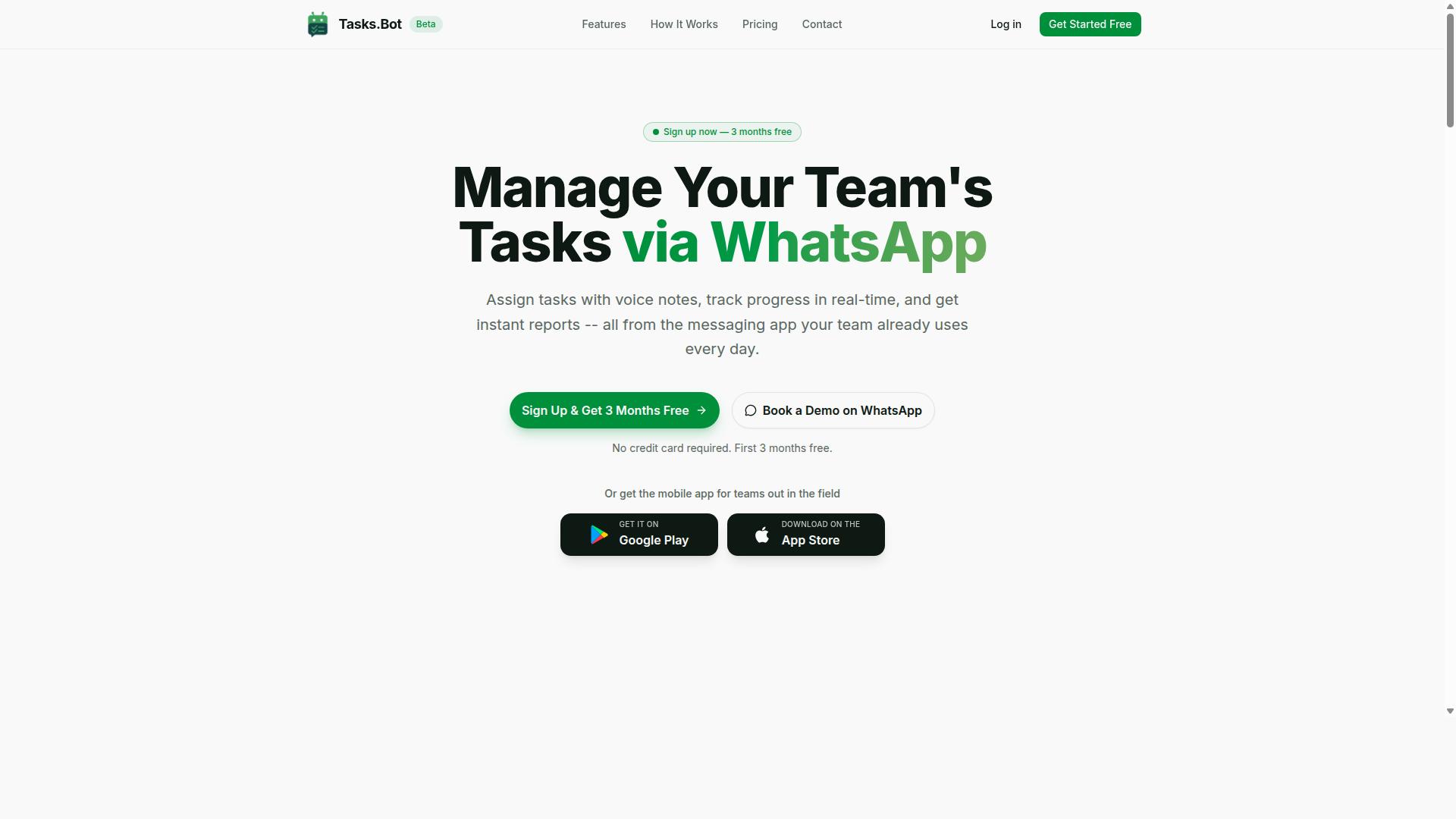
Tasks.Bot is a task management platform that operates entirely within WhatsApp, allowing teams to assign tasks, track progress, and receive reports without leaving the messaging app. Instead of asking people to adopt yet another productivity tool, it meets them in the app they already open dozens of times a day.
The core idea behind WhatsApp-native task management is removing friction. There is no separate dashboard to learn, no new login to remember, and no notification that gets buried in a crowded inbox. The work happens where the conversation already happens.
Tasks.Bot also offers a mobile app for field teams, available on Android and iOS with push notifications, voice capture, and a home screen widget. That combination matters for teams who split their time between a desk and the field, such as delivery crews, service technicians, or sales reps on the move.
Beyond simple to-do tracking, the platform covers approvals and automations, instant reports, tasks on a map, a live day tracker, face-verified attendance, and shifts, leave, and hours management. These features point to a tool built for operational teams rather than individual note-takers.
Tasks.Bot is currently in beta and offers a free trial period, so teams can evaluate whether a WhatsApp-first workflow fits how they already communicate before committing. For anyone weighing it against other voice and text task creation software, the defining trait is clear: Tasks.Bot treats the chat interface as the product, not an add-on.
Voice and Text Task Creation: How Tasks.Bot Works
Tasks.Bot simplifies task creation by letting users send a voice note or type a message in natural language, which the AI then parses into a structured task with assignee, deadline, and details. There is no form to fill out and no dropdown menu to navigate.
Under the hood, the platform uses AI to understand user intent and create tasks from messages. This is the same family of technology behind natural language processing and intent recognition found in modern conversational AI: the system reads a sentence, identifies what action is being requested, and pulls out the key pieces of information.
For voice input, a recording is transcribed and processed the same way as typed text. Speech recognition converts the audio, then the NLP pipeline extracts entities such as the task name, the person responsible, and any timing mentioned. From there, the task is created and routed automatically.
A concrete example makes this easier to picture. Send a voice note saying "Remind John to submit the report by Friday" and Tasks.Bot creates the task, assigns it to John, and sets a reminder. What would normally take several taps across multiple screens happens in one sentence.
The relevant capabilities here include:
- Voice note task creation, so hands-free input works in the field or while driving
- Automatic task assignment, which routes work to the right person without manual sorting
- Smart deadline reminders, which keep due dates visible inside the chat thread
For teams comparing this to a traditional reminder app or to-do list, the difference is the input method. Voice commands and text commands replace structured forms, and a chatbot-style interface replaces a dashboard. That lowers the learning curve for anyone who has ever sent a WhatsApp message.
Reminderly.ai vs Tasks.Bot: Which Is Better for Voice and Text Task Creation?
When comparing Reminderly.ai and Tasks.Bot for voice and text task creation, the key differences lie in their integration approach, AI capabilities, and target use cases. Both tools use conversational AI to turn spoken or typed instructions into structured tasks, but they deliver that experience in very different environments.
Reminderly.ai is generally positioned as a dedicated reminder app. Users can create reminders by typing or speaking, and the platform's virtual assistant handles scheduling and follow-ups. In most cases, this means downloading a separate application and setting up an account before the first task is ever created.
Tasks.Bot takes a different route. It operates entirely within WhatsApp, a chat interface most teams already have open on their phones. That single design choice shapes everything else about how the two products feel in daily use.
The table below summarizes the main differences based on publicly available information about each tool.
| Aspect | Reminderly.ai | Tasks.Bot |
|---|---|---|
| Primary environment | Dedicated reminder app | WhatsApp chat interface |
| Setup for team members | Typically requires an app download and account | No install or new account needed |
| Voice and text input | Supported for reminder creation | AI understands natural language and voice notes |
| Field team tools | Not a typical focus | Face-verified attendance and live GPS tracking |
| Data handling | Varies by plan and policy | Enterprise-grade encryption; data never shared or used for training |
| Trial | Varies | 3-month free trial, no credit card required |
On the AI side, both products rely on natural language processing concepts like intent recognition and entity extraction to convert casual phrasing into clean to-do items. Tasks.Bot applies this to voice notes and free-form text inside WhatsApp, so a manager can forward a voice message and let the assistant pull out the task, the owner, and the timing.
Reminderly.ai's strength is focus. It is built for individuals who want a straightforward reminder app with voice commands and a simple to-do list workflow. Teams that only need personal reminders may find that sufficient.
The gap widens for WhatsApp-centric teams. Tasks.Bot removes the friction of onboarding because nothing has to be installed, and its field team tools, face-verified attendance and live GPS tracking, address use cases a standard reminder app does not cover. Enterprise-grade encryption adds another layer, with conversations and task data never shared or used for training.
So which is better? If your team already runs on WhatsApp and needs voice and text task creation plus field staff visibility, Tasks.Bot is the stronger fit. If you only want a standalone reminder app for personal use, Reminderly.ai remains a reasonable option. The deciding factor is where your team already communicates, not which tool has the longer feature list.
Key Features That Make Tasks.Bot Stand Out
Tasks.Bot distinguishes itself through a combination of WhatsApp-native operation, AI-powered natural language understanding, and specialized tools for field teams. Rather than forcing users into yet another dashboard, the platform meets people where they already spend their day: inside a chat window. That design choice shapes nearly everything the tool does well.
Two feature clusters drive most of the value here. The first covers conversational task entry, including voice notes, AI interpretation of natural language, and a setup process that requires no app install or new account. The second cluster targets organizations with mobile or field-based staff, where location and attendance data matter as much as the task list itself.
The sections below examine each cluster in turn, starting with the conversational features that define everyday use and moving into the field operations toolkit.
Voice Notes, AI Natural Language, and Zero-Install Setup
Tasks.Bot's voice note and AI natural language capabilities allow team members to create and manage tasks conversationally, with no need to install additional software or create new accounts. A user can hold down the microphone in WhatsApp, describe what needs doing, and let the system handle the rest. This removes the friction that typically kills adoption of task management software.
Three capabilities stand out in this cluster:
- Voice note task creation. Users send voice messages that are converted into tasks, so a spoken sentence becomes an actionable item without typing.
- AI natural language understanding. The system parses both text and voice input to extract task details, assignees, and deadlines, using intent recognition and entity extraction to figure out what the user actually wants.
- Zero-install setup. Because the tool operates entirely within WhatsApp, team members don't need to download anything or create new accounts, which shortens onboarding.
Consider a site supervisor who finishes a walkthrough and needs three follow-up items logged before the next meeting. With voice task creation, those items are captured quickly, and automatic task assignment routes each one to the right person. Smart deadline reminders then keep the work moving without anyone chasing updates manually.
The productivity gain comes from removing steps. No app switching, no login screens, no retyping notes into a to-do list. Tasks.Bot also provides Android and iOS apps with push notifications, voice capture, and a home screen widget for those who want a dedicated mobile experience. Enterprise-grade encryption protects the data, and conversations and task data are never shared or used for training. A 3-month free trial with no credit card required lets teams evaluate the fit before committing.
Field Team Tools: GPS Tracking, Face-Verified Attendance, and Live Day Tracker
For teams with field staff, Tasks.Bot offers specialized tools including GPS tracking, face-verified attendance, and a live day tracker to monitor progress and ensure accountability. These features address a common gap in generic productivity tools, which tend to assume everyone works from a desk. Field operations need proof of presence, verifiable hours, and visibility into what is happening right now.
Each tool serves a distinct operational purpose:
- GPS tracking verifies location, so managers can confirm that a task was completed where it was supposed to be. Tasks on a map give a spatial view of work in progress.
- Face-verified attendance handles clock-in and clock-out, producing payroll-ready hours that reduce disputes and manual reconciliation.
- Live day tracker shows real-time task progress across the team, giving supervisors oversight without constant check-in calls.
These tools sit alongside broader workforce features such as shifts, leave, and hours management. The practical benefit is a single record that connects attendance, location, and task completion. Payroll teams get cleaner data, and supervisors spot problems while there is still time to fix them.
What makes this cluster workable for field crews is the delivery channel. Tasks.Bot offers task management via WhatsApp with native WhatsApp integration, and it also provides Android and iOS apps with push notifications, voice capture, and a home screen widget. Workers interact through an interface they already know, which means minimal training and faster rollout. Approvals, automations, and instant reports round out the picture, so the same system that captures a clock-in can also surface a daily summary. For organizations managing distributed teams, that combination of accountability and simplicity is hard to replicate with a conventional reminder app or standalone to-do list.
Pricing and Plans
Tasks.Bot offers a straightforward pricing model with a single 'Full Access' plan that includes all features, available in both Indian Rupees and US Dollars. That single-tier approach removes the guesswork that often comes with task management software, where basic features sit behind one plan and voice or text task creation hides behind another.
The platform keeps its currency selection simple. A 'Select currency' option lets users switch between the Indian Rupee and the US Dollar, so teams can view and pay in the denomination that matches their location or accounting setup.
| Plan | Price | Billing Basis |
|---|---|---|
| Monthly | ₹200 | Per member, per month |
| Annual | ₹1,200 | Per member, per year |
Pricing is calculated per member, not per account. That distinction matters for anyone comparing a productivity tool for a small team against one built for a single user, since the total cost scales with the number of people who need access.
The annual plan works out to a 50% saving, equivalent to ₹1,200 saved per year for each member. For a team that already knows it will use voice task creation and text task creation over the long term, the yearly option lowers the effective monthly outlay considerably.
New users can start with 3 months free, no credit card required, and can cancel anytime. That trial window gives teams room to test how well the AI assistant handles voice commands, text commands, and conversational input before committing budget.
Every plan includes all features, so there is no need to weigh whether natural language processing, speech recognition, or intent recognition sits in a higher tier. The service is currently in beta, which is worth noting: early-stage products sometimes adjust terms or pricing as they mature, so it helps to check the current details before subscribing.
For a fuller picture, compare this structure against what Reminderly.ai lists publicly. A per-member model with a flat feature set is easy to budget for, while tiered pricing elsewhere can complicate planning once a team grows. Tasks.Bot's approach keeps the math visible and the feature list complete from day one.
Trust Signals: Beta Status, Encryption, and Early Adopters
Tasks.Bot is currently in beta, which means it's actively being refined, but it already includes security measures like encryption and has been adopted by hundreds of teams. For anyone weighing Reminderly.ai against Tasks.Bot for voice and text task creation, those three signals, development stage, data protection, and real-world adoption, say a lot about what kind of productivity tool you are actually considering.
Trust rarely comes from a single feature. It comes from a pattern of choices that show a team is serious about the people using their software. Below is a closer look at what each signal means in practice.
Beta status: a signal of momentum, not instability. A beta label tells you the product is still evolving. New capabilities can appear quickly, and existing behavior may shift as the team learns from users. That is a double-edged sword. On one hand, rapid iteration often produces faster improvements than a frozen, unchanging release. On the other, features you rely on today may look different in a few months.
For a task management software buyer, the practical takeaway is simple. Beta is a reason to test workflows carefully before rolling them out across an entire organization. It is not a reason to avoid the platform. Many of the most capable productivity tools spent their early life in exactly this stage.
Encryption and data handling. Tasks.Bot prioritizes security, and encryption is part of how it protects user data. When you create tasks through voice commands or text commands, that information travels through a system that was built with protection in mind. For teams handling sensitive project details, meeting notes, or client work, this matters more than almost any interface flourish.
Compare that to the alternative: a reminder app that treats security as an afterthought. A virtual assistant is only as trustworthy as the pipeline behind it. Encryption is one of the clearest ways a platform shows it takes that responsibility seriously.
Early adopters and social proof. The site mentions hundreds of teams already using Tasks.Bot. That number is worth pausing on. Social proof from real users is one of the few trust signals that cannot be manufactured by good marketing copy alone. Hundreds of teams choosing a tool during its beta phase suggests the core value, turning spoken or typed instructions into organized tasks, is already working for them.
Adoption at this scale also creates a feedback loop. More users mean more edge cases, more bug reports, and faster refinement of the natural language processing and speech recognition that power voice task creation and text task creation.
Additional trust signals worth noting. A few smaller details round out the picture:
- Refund policy: The site mentions a refund policy in the footer, which gives new users a safety net while they evaluate the tool.
- Book a Demo on WhatsApp: A direct demo option lowers the barrier to asking questions before committing.
- Copyright year 2026: The site is actively maintained, not abandoned.
None of these details alone proves a platform is trustworthy. Together, they form a consistent pattern: a team that is shipping, supporting, and standing behind its product.
The verdict on trust. Tasks.Bot is in beta, and that is fine. It encrypts user data, it has been adopted by hundreds of teams, and it offers a refund policy plus a direct demo channel. For a productivity tool built around conversational AI, reminder app functionality, and task automation, those are exactly the signals a careful buyer should look for. If you are comparing Reminderly.ai and Tasks.Bot, the trust case for Tasks.Bot stands on solid, verifiable ground.
Who Should Use Tasks.Bot
Tasks.Bot is ideal for teams that already use WhatsApp for communication, especially those with field staff who need task management, attendance tracking, and payroll-ready hours. Instead of forcing workers onto a new platform, it meets them inside the messaging app they open every day.
That makes it a natural fit for a specific kind of operation. If your people are on the move rather than at a desk, the tool's design choices line up with how they actually work.
The service is already used by hundreds of teams, which suggests the approach resonates with organizations that want task coordination without a heavy rollout.
Field teams are the clearest match. Sales reps visiting clients, delivery drivers running routes, and maintenance crews moving between sites rarely sit in front of a laptop. For them, a conversational interface beats a dashboard they have to remember to check.
Because Tasks.Bot lives in WhatsApp, there is no new app to install and no unfamiliar interface to learn. A worker who can send a message can create a task, log attendance, or record hours. That low barrier matters when your team spans different ages, devices, and comfort levels with software.
Attendance tracking and payroll-ready hours are especially valuable for businesses that pay by time worked or shift. Managers get a record without chasing paper timesheets or trusting memory at the end of a busy day.
Small and medium businesses tend to get the most from a lightweight setup. They often lack the budget or IT staff for a sprawling project management suite, and they do not need one.
A conversational task management tool fits teams that want coordination without a long implementation cycle. There is no complex onboarding, no dedicated administrator, and no training program to run.
Consider a small delivery company with a handful of drivers. The owner already coordinates pickups over WhatsApp. Adding task creation, attendance, and hour tracking into that same thread keeps everything in one place rather than scattered across apps and notebooks.
Teams that value speed over feature depth will find this approach practical. The goal is not to replicate an enterprise platform. It is to make everyday coordination effortless for people who are already messaging each other anyway.
Tasks.Bot suits organizations where WhatsApp is already the default channel and staff work away from a desk. If your team fits that description, the fit is strong. If your operation depends on deep reporting, complex dependencies, or desk-based collaboration, a different category of tool may serve you better.
For field-heavy, messaging-first teams, the combination of zero-install access and payroll-ready time tracking addresses real daily friction. That is the audience this tool was built to serve.
Final Verdict
Tasks.Bot presents a compelling solution for teams seeking a WhatsApp-native task management tool with robust AI and field team features, though its beta status means it's still evolving. For organizations that already run their daily communication through WhatsApp, this tool fits naturally into existing habits rather than forcing a new app download or platform migration.
The core strengths are easy to summarize. Voice and text task creation let users capture to-dos in the way they already talk and type, while the WhatsApp integration removes friction for teams spread across field and office roles. Simple pricing keeps the decision straightforward, and the field team tools address a gap many generic productivity apps overlook.
On the other side, the platform is still in beta. That means features may shift, and teams with rigid compliance or integration requirements should weigh that maturity curve carefully before committing. Buyers comparing Reminderly.ai and Tasks.Bot should treat the beta label as a signal to test workflows early rather than a reason to dismiss the product outright.
For teams already living inside WhatsApp, the recommendation is clear: Tasks.Bot is a strong choice. It turns a familiar chat interface into a working task system, which lowers adoption barriers and speeds up onboarding. For teams anchored to Slack, Microsoft Teams, or email-driven processes, the value depends on whether they are willing to shift communication habits toward WhatsApp.
If a shift is realistic, the payoff is a unified place for voice commands, text commands, and field updates. If not, the tool may feel like an extra channel rather than a replacement. The honest answer is that fit matters more than feature count here.
To explore whether Tasks.Bot matches your workflow, reach out directly:
- Phone: +91 97143 42522
- Email: [email protected]
- Or use the Book a Demo on WhatsApp option to see the tool in action
A live demo is the fastest way to judge whether WhatsApp-native task management suits your team's habits. Given the beta stage, early conversations also give you a clearer picture of the current roadmap and where the product is heading.
Frequently Asked Questions
What makes Tasks.Bot different from other voice and text task creation tools?
Tasks.Bot operates entirely inside WhatsApp, so your team can create tasks with voice notes or text without installing new software or creating new accounts. Its AI understands natural language, which means you can simply message a task the way you'd normally talk. It's built especially for teams already using WhatsApp, including those with field staff.
How does voice note task creation actually work in Tasks.Bot?
You send a voice note in WhatsApp just like any other message, and Tasks.Bot's AI interprets it to create the task. From there, tasks can be automatically assigned, tracked, and followed up with smart deadline reminders. There's no separate app to open or form to fill in.
Does Tasks.Bot work for teams with field staff?
Yes. Tasks.Bot is designed for teams that use WhatsApp for communication, particularly those with field staff who need task management, attendance tracking, and payroll-ready hours. It also offers a mobile app for field teams, plus features like face-verified attendance, tasks on a map, and live day tracking.
How much does Tasks.Bot cost?
Tasks.Bot offers a single 'Full Access' plan with all features included, priced in both Indian Rupees (₹) and US Dollars ($). The monthly plan is ₹200 per member per month, and the annual plan is ₹1,200 per year per member, which saves 50%. You can book a demo on WhatsApp to see it in action before committing.
Do I need to train my team to use Tasks.Bot?
No - since everything happens inside WhatsApp, team members don't need to install anything or create new accounts. They can assign tasks, get reminders, and receive instant reports right in the chat they already use. That keeps adoption simple, even for large or distributed teams.
Is Tasks.Bot available in my country?
Tasks.Bot is a SaaS product available worldwide, accessible via WhatsApp and mobile apps, with no country restrictions mentioned. If your team uses WhatsApp, you can use Tasks.Bot. Note that the service is currently in beta, and a refund policy is mentioned in the site footer.
Recommended Resources: